


One time payment. No hidden charges.
(I reserve the right to end this introductory price at anytime without warning)

Hey, it's Walter Smith here — and I just wanted to give you a quick heads up…
When you first joined WalterShedPlans, you may have seen the offer for the VIP Deluxe Builder's Pack — and for whatever reason, you chose not to take it at the time.
Totally understandable. But here's the thing…
A lot of users did grab the VIP Pack — and the feedback has been incredible.
People are building faster.
They're avoiding costly mistakes.
And they're telling me this upgrade is making the entire shed-building process way easier and more fun.
So I've decided to do something I don't normally do…
For a limited time only, I'm reopening access to the "VIP Deluxe Builder's Pack" — exclusively for members who didn't take it the first time.
But fair warning — once this special access closes, that's it.
One time payment. No hidden charges.
(I reserve the right to end this introductory price at anytime without warning)
Walter's Shed CAD Program
Stop drawing every joist by hand. Let the software do the framing for you.

Type 6 numbers. Click 2 buttons. Walk away with a full set of framed plans — foundation, floor, walls, roof — already drawn for you.
Look — you know what happens when you sit down to draw a shed?
You stare at a blank screen. You draw 4 walls. Now what?
Where do the studs go? How far apart? What about the headers above the door? What size of joist for a 12-foot span? Do you put a king stud here? A jack stud there?
And don't even get me started on the rafter layout for a gable roof…
Every CAD program out there gives you the same thing — a blank canvas and a bunch of line tools:
AutoCAD? Costs $1,775/year and you still have to draw every 2x4 yourself.
SketchUp? Pretty 3D pictures. Useless for actually framing a shed.
Free CAD programs? No idea what a header even is.
Hiring an architect? $2,000 to $5,000 and a 6-week wait — for a 10x12 shed.
That's why I built Walter's Shed CAD.
It's the first CAD program in the world that doesn't ask you to draw a shed.
It draws the shed FOR YOU — fully framed, code-compliant, ready to take to the lumber yard.
Here are the 4 features that make it different from anything else:
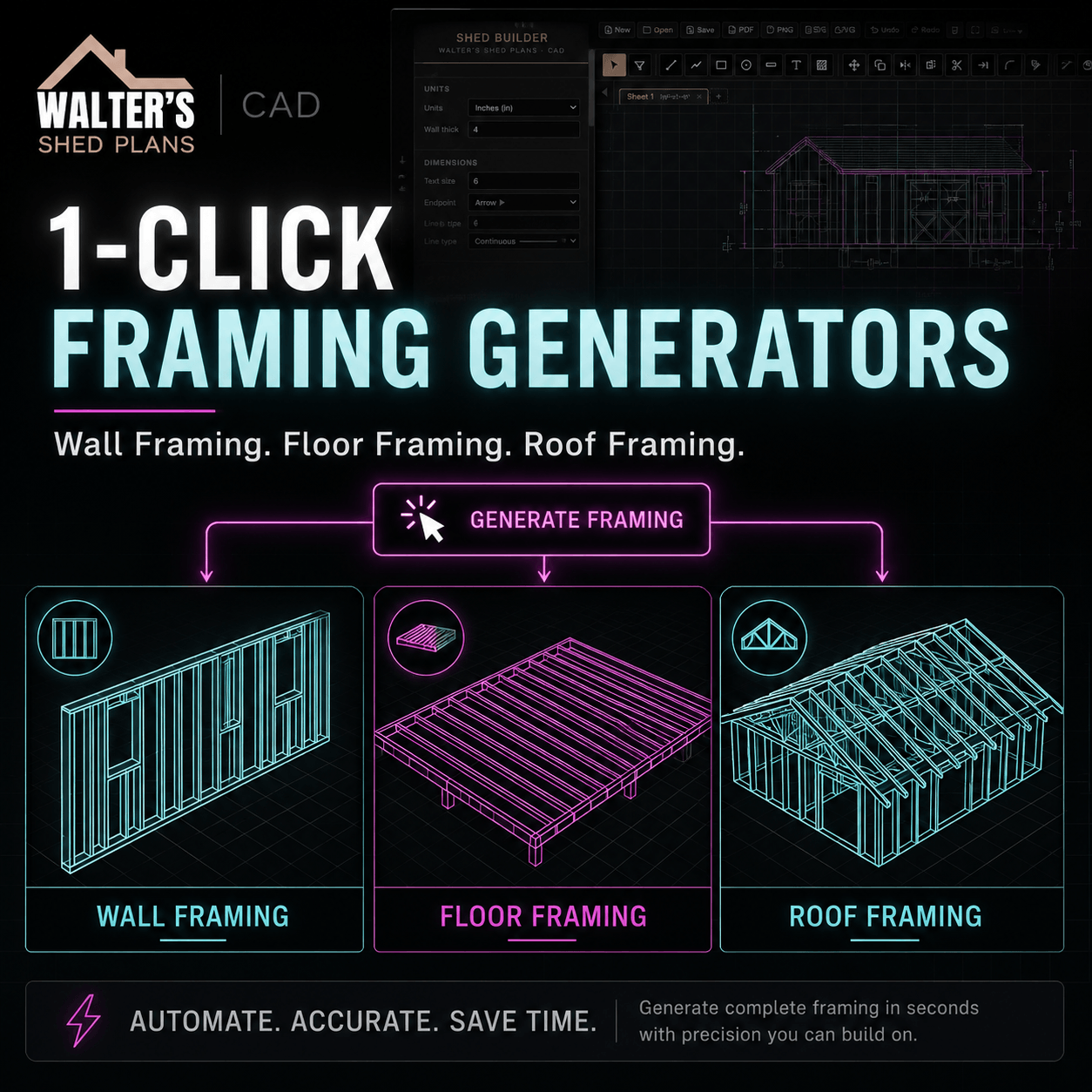
Wall, Floor & Roof Framing. In One Click.
See those three framings in the picture? Wall framing, floor framing, roof framing — fully studded, fully spanned, fully framed.
Every other CAD program makes you draw each one of those by hand. Stud by stud. Joist by joist. Rafter by rafter.
Walter's Shed CAD draws all three with one click — sized for your dimensions, spaced per code, ready to print.
What takes a drafter 8 hours, the software does in 2 seconds.
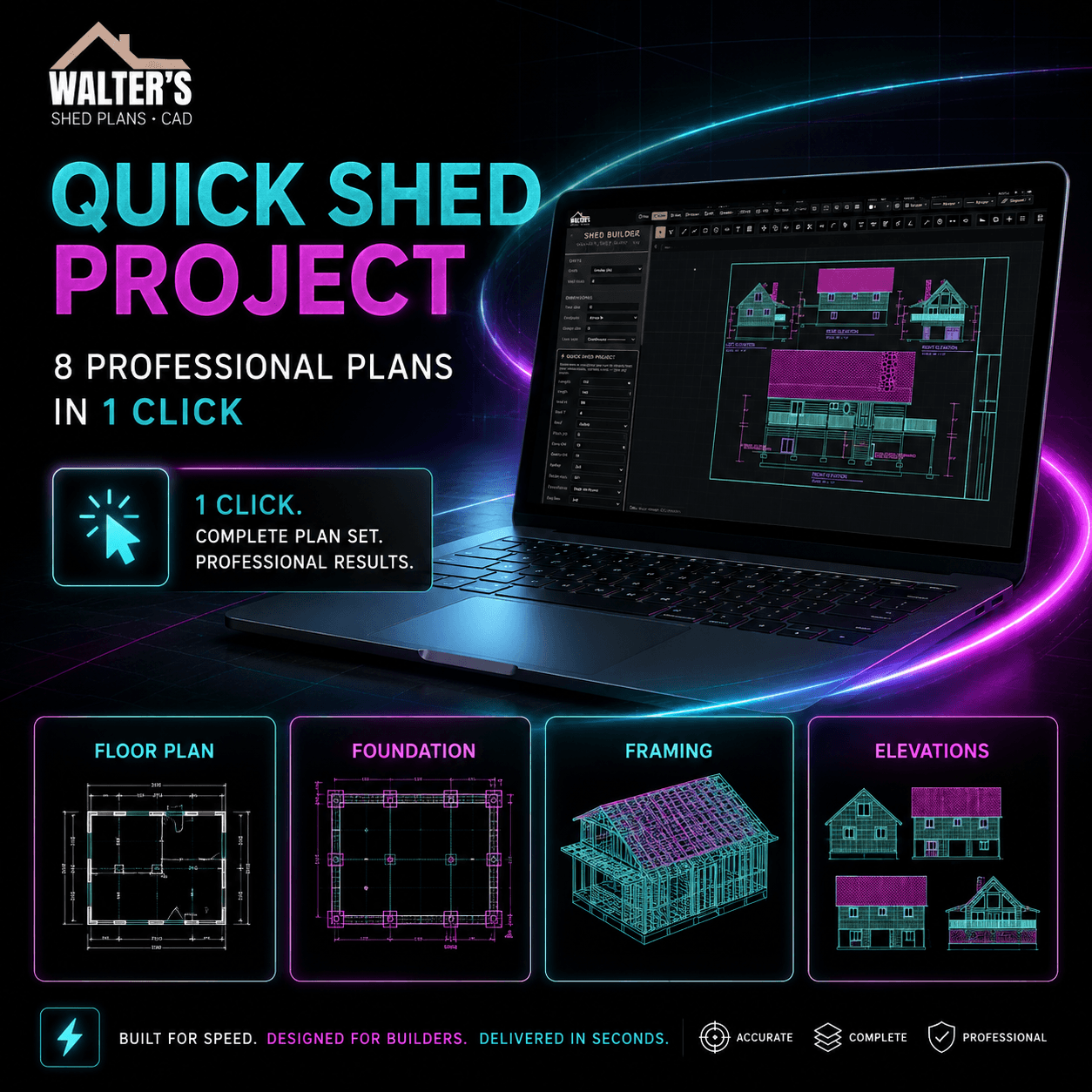
8 Professional Plans. From One Button.
This is the feature that stopped my beta testers in their tracks.
Type 6 numbers. Click "Quick Shed Project." Two seconds later, you've got 8 complete sheets:
- Floor plan
- Foundation plan
- Floor framing
- Wall framing (front + side)
- Roof framing
- Front elevation
- Side elevation
- Auto Save
A senior drafter charges $300–$500 for that exact set of drawings. Takes them 12 hours.
You get it in 2 seconds. Print it. Hand it to the inspector. Build.
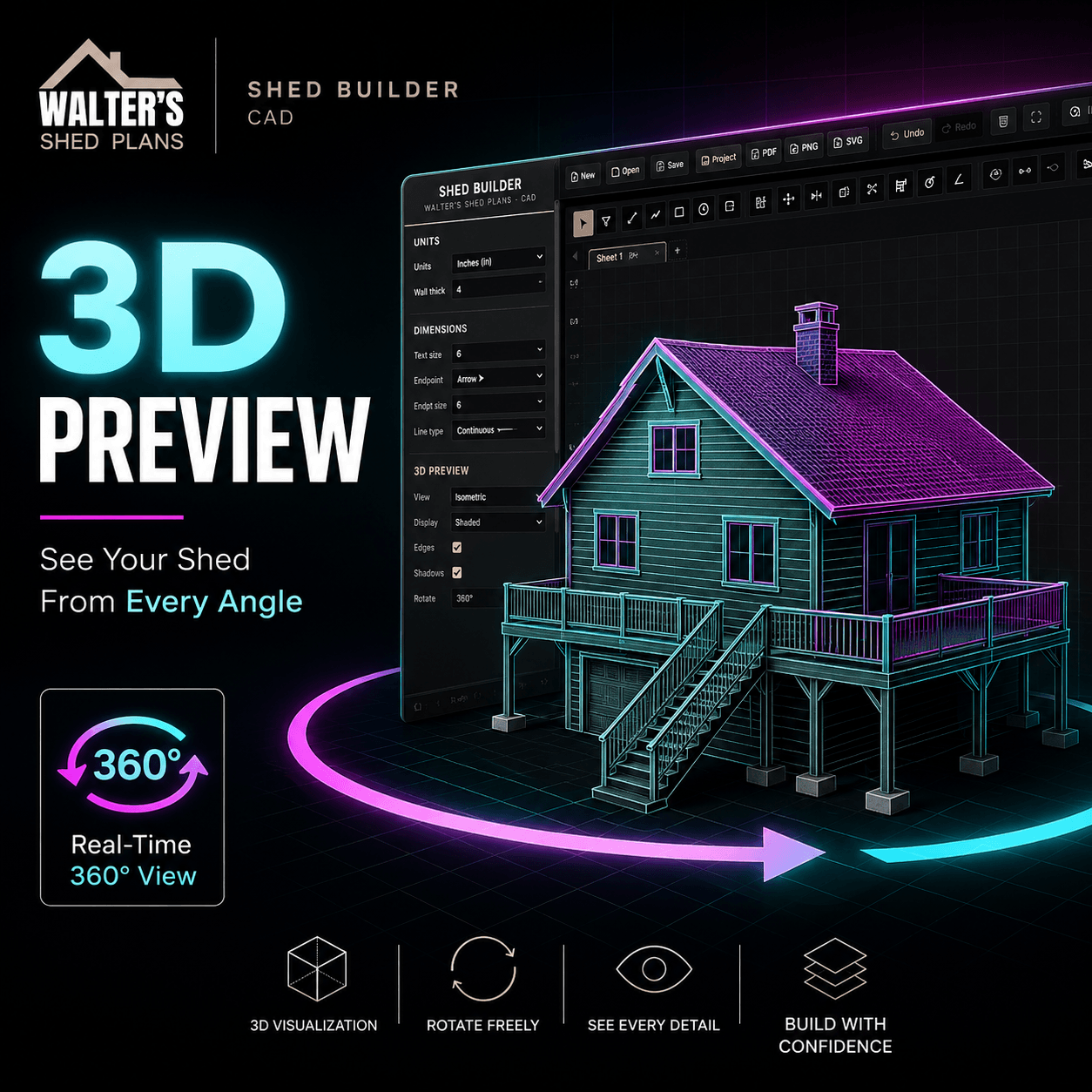
See Your Shed Before You Cut A Board.
Drawing a shed in 2D is one thing. Knowing what it'll actually look like sitting in your backyard is another.
The 3D Preview rotates around your shed in real-time — 360°, every angle, every elevation. Walk around it on screen before you buy a single 2x4.
Spot the design mistakes before they cost you $300 in wasted lumber.
Show it to your wife. Show it to your neighbor. Get sign-off before you start sawing.
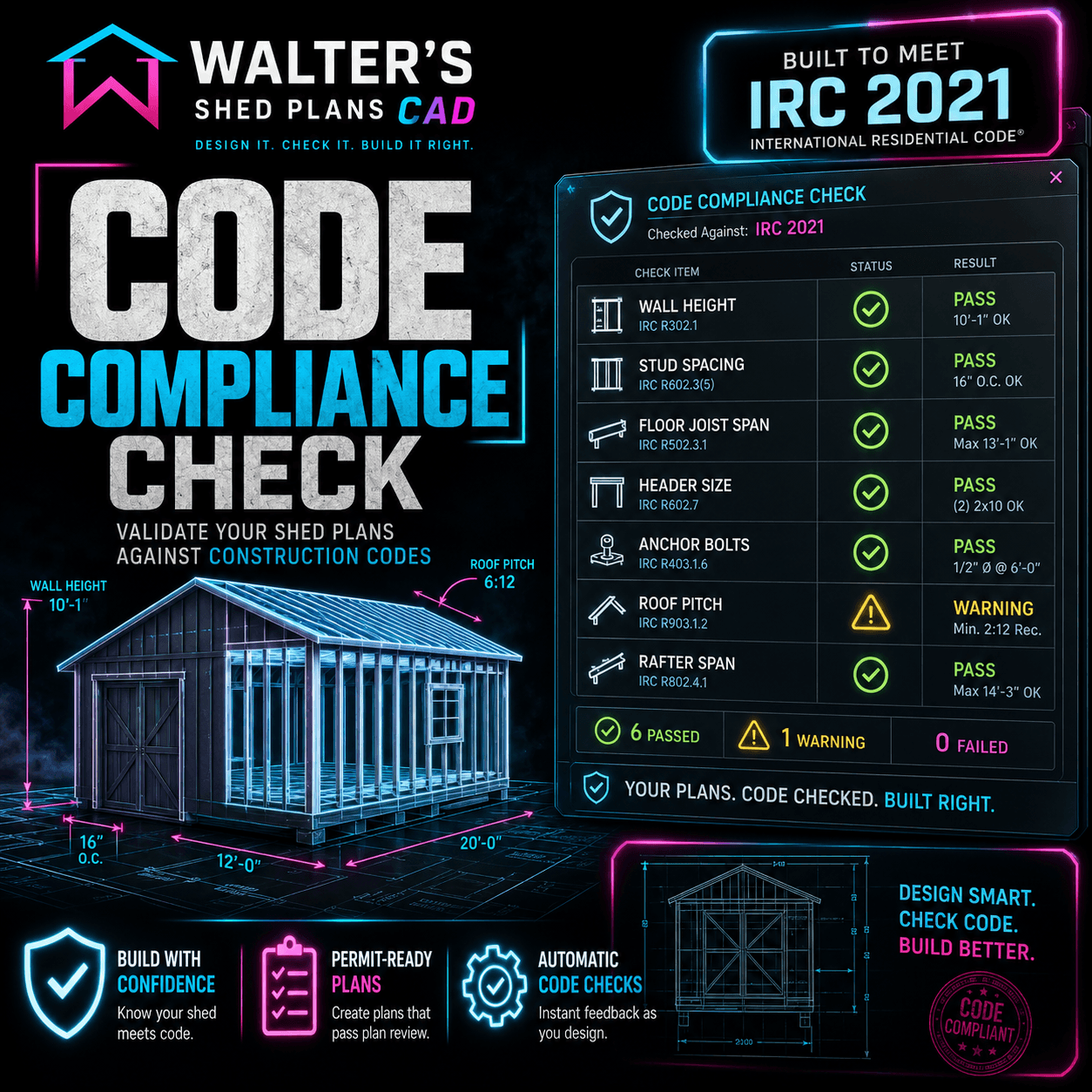
IRC 2021 Validated. Inspector-Ready.
Most DIY sheds fail inspection on dumb stuff. Stud spacing too wide. Header size too small. Anchor bolts in the wrong place.
Walter's Shed CAD runs 7 automatic code checks against IRC 2021 in real time — wall height, stud spacing, floor joist span, header size, anchor bolts, roof pitch, rafter span.
If anything fails, the software flags it. Tells you exactly what to fix.
Show up at the permit office. Walk out with your permit the same day.
Plus everything else that comes baked in:
- Custom dimensions — any shed size, not just library ones
- 4 roof types supported — gable, shed/lean-to, hip, and gambrel
- Automatic Bill of Materials — every stud, every joist, every sheet of plywood, counted and listed
- Print at architectural scale — 10 imperial scales (1/4" = 1'-0", 1/8" = 1'-0", etc)
- Multi-format export — PDF for the inspector, DXF for AutoCAD, PNG for sharing
- Works in your browser — no install, runs on Mac, Windows, Linux, iPad, Chromebook
- Auto-save every 30 seconds — never lose your work
- Professional title blocks — project name, address, scale, date, automatic
- Drag-and-drop doors & windows — any wall, any size, any position
- Foundation options — skids on gravel, concrete piers, or full slab
What you walk away with — in 2 clicks:
- Floor plan — fully dimensioned, doors and windows in place
- Foundation plan — with anchor bolt spacing drawn per IRC R403.1.6
- Floor framing — every joist sized for your span
- Wall framing — front, back, left & right — every stud, header, king & jack
- Roof framing — every rafter cut to angle, every ridge sized right
- Front + side elevations — what your shed will actually look like
- Title block, dimensions, scale — all done. Inspector-ready.
You're getting it in 2 seconds.
Here's where the CAD program stands right now:
using it inside
built for sheds
checks built in
in under 2 seconds
correctly framed
One time payment. No hidden charges.
(I reserve the right to end this introductory price at anytime without warning)
🎁 Plus 3 More Tools Inside The VIP Deluxe Pack
The Walter's Shed CAD Program is the centerpiece of the pack — but it's not the only thing you get.
Together with the CAD, you also unlock 3 additional tools that turn this from a software purchase into the most complete shed-building toolkit you'll ever own.
Here's everything else you get on top of the CAD:
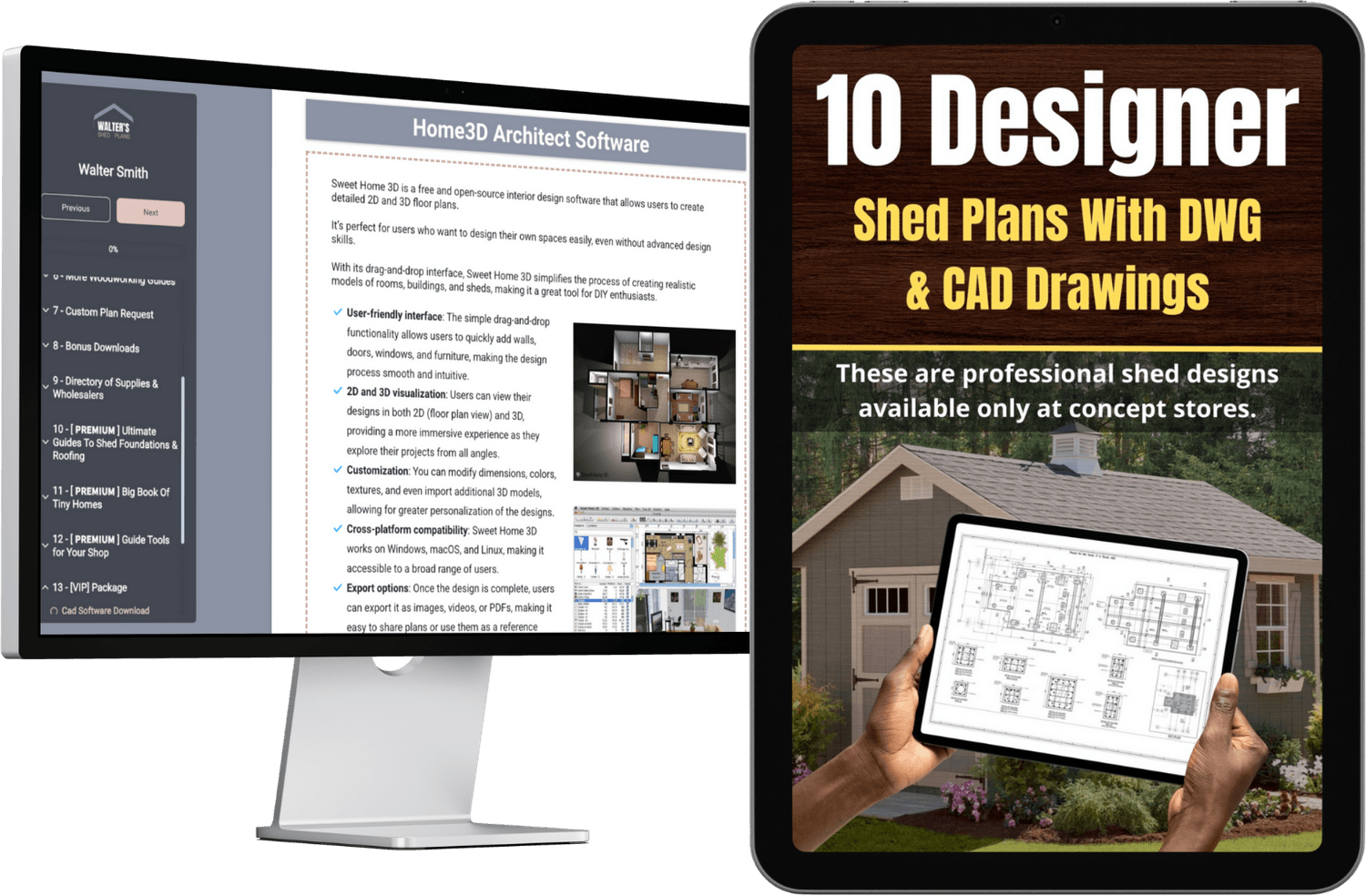
10 Designer Plans With DWG/CAD Drawings
These are professional shed designs available only at concept stores.
- Get unprecedented access to details covering elevation, basement details, floor and roof layouts, section drawings, main foundation drawings and more…
- Comes complete with DWG and CAD drawings, ready to open and edit
- Full zoom, pan and measurement controls so you can study every joint
- Print out the "eagle eye" overview of the entire shed build — never miss any detail no matter how intricate it is
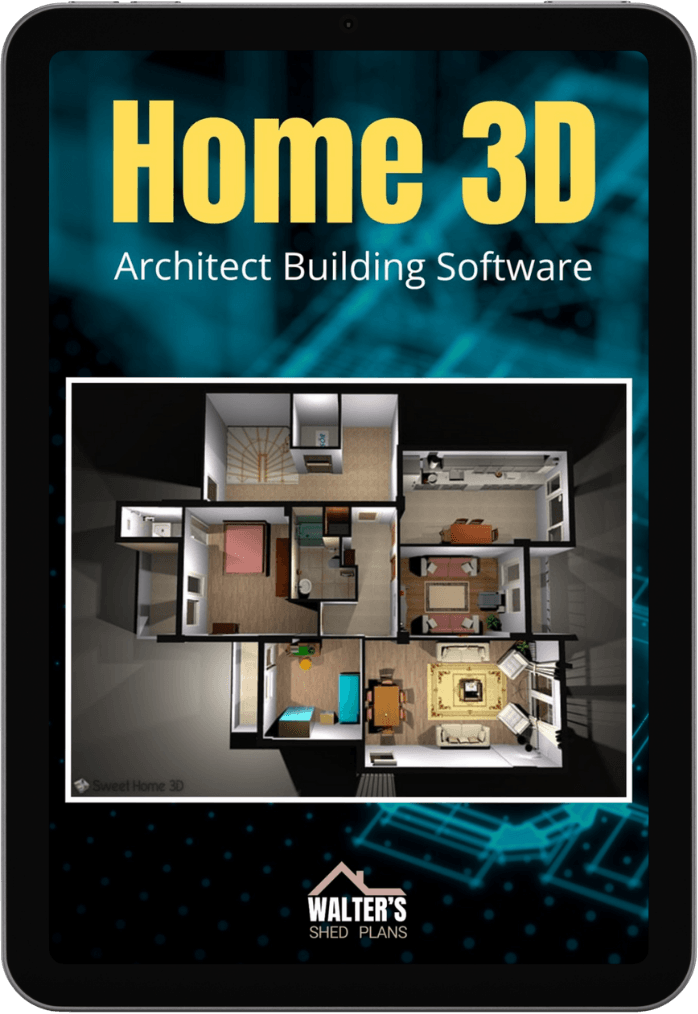
Home3D Architect Building Software
A remarkable 3D design application for small houses, large and small sheds and all types of outhouses.
- Try out your new design ideas without having to get out the liniment
- Drag and scale images around on your screen to see how your new design looks before you fully commit to it
- Over 100 pre-built furniture and templates included
- Works on all versions of Windows and Mac
The Illustrated Guide To Woodworking Basics
This book is like a master carpenter standing at your elbow to answer questions as they arise. It's the perfect workshop companion for all self-taught woodworkers.
- Hundreds of pages of solid professional tips
- Cutting dovetails, sawing, sanding, drilling and carpentry techniques
- From beginner to expert — instruct and inspire
- Step-by-step illustrated guide so you can master each skill at your own pace
The bottom line is this: Walter's Shed CAD + these 3 included tools is the most complete shed-building toolkit ever assembled in one place.
So don't miss out on this great deal while the introductory price is open.
"How Much Would You Expect To Pay For The Single Most Comprehensive Shed Builder's Toolkit — EVER?"
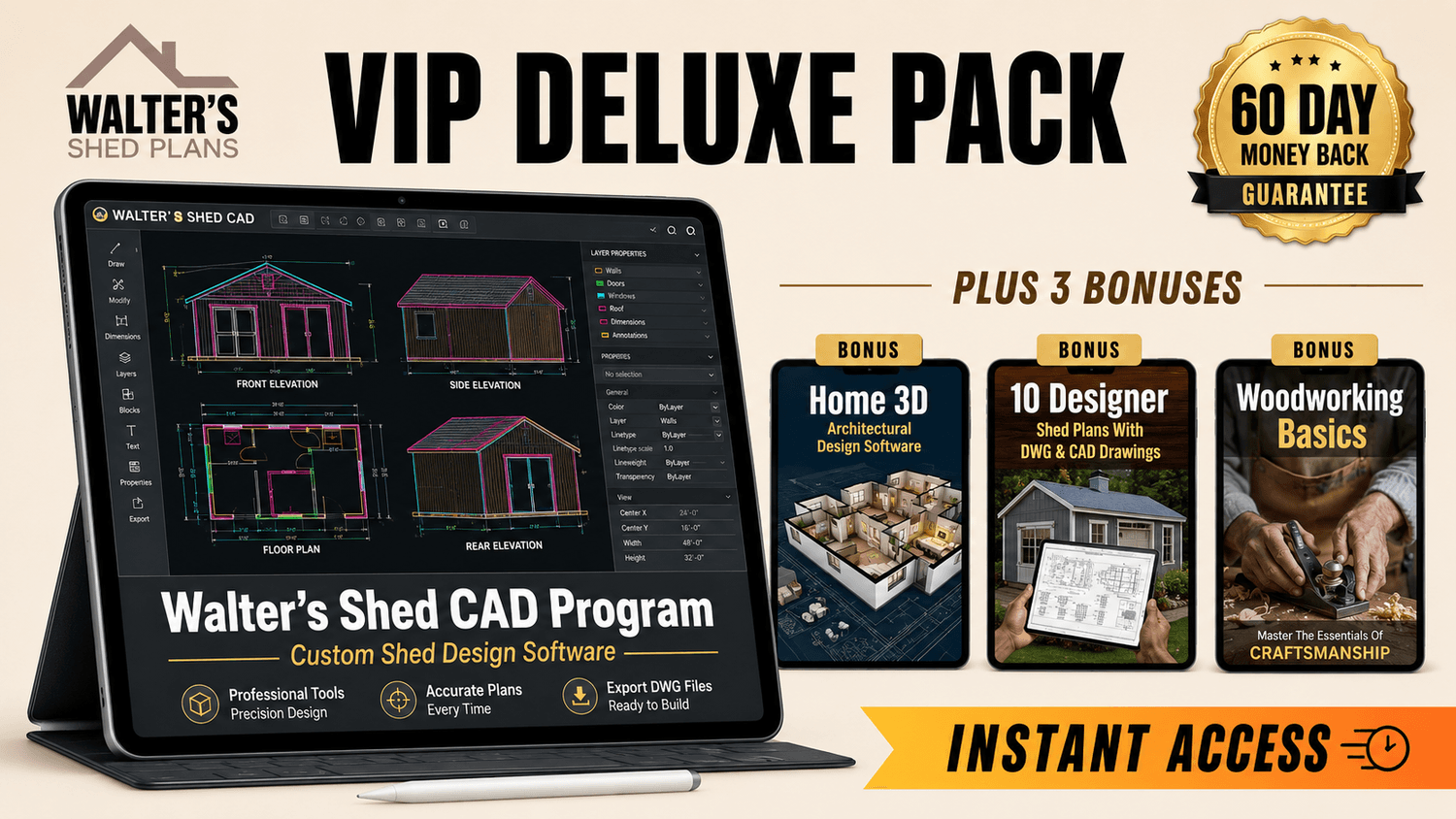
I showed this to a select group of beta-testers (over 1,900 of them spent weeks inside the CAD tool)… and they told me that the absolute LEAST this should retail for is $297.00
But because I want to help you master the art of shed building and get the most out of my plans, I'm NOT going to charge you anywhere near that.
If you act right now, you can grab the complete VIP Deluxe Pack:
Not for $297…
Not for $79…
Nope, you can get everything for just a one-time payment of $39….
But You Must Act Right Now
This introductory price is not going to last.
Once the special access window closes, the VIP Deluxe Pack goes back to its full retail price (much higher than what you're seeing today). If you want it at this price, this is the moment.
One time payment. No hidden charges.
(I reserve the right to end this introductory price at anytime without warning)
Here's What You'll Get:
- Walter's Shed CAD ProgramInstant browser access. The only CAD that draws the framing for you. 2 clicks → foundation, floor, walls (all 4 sides), roof — all IRC-validated, inspector-ready. ($129 value)
- 10 Designer Shed Projects with detailed plans and CAD designs covering elevation, basement details, floor, roof layouts, section drawings, main foundations and more… ($79 value)
- Home3D Architect Software — design sheds, outhouses, and small structures with 100+ pre-built furniture and templates ($59 value)
- The Illustrated Guide to Woodworking Basics — a step-by-step master companion to help you build with confidence ($49 value)

Your order is covered by my 60-days guarantee. That means you can actually dive into the material, try out the software, use everything for a full 60 days and only decide it's really "for-you" afterwards.
There's no receipt to hold onto, no packages to return. If you don't like it for any reason, just send me an email and I'll issue a refund. It's that simple.

www.waltershedplans.com
This site is not a part of the Facebook website or Facebook Inc.
Additionally, this site is NOT endorsed by Facebook in any way.
FACEBOOK is a trademark of FACEBOOK, Inc.
This site is not a part of Meta Platforms, Inc. or any of its products or services. Additionally, this site is NOT endorsed by Meta in any way. FACEBOOK and INSTAGRAM are trademarks of Meta Platforms, Inc.
This site is not a part of the Google website or Google LLC. Additionally, this site is NOT endorsed by Google in any way. 'Google' is a trademark of Google LLC.
© 2025–2026 ProfitAds, LLC d/b/a WalterShedPlans. All Rights Reserved.
PLEASE READ THIS DISCLAIMER:
These plans are published here for educational purposes. Some of the older plans here will often need modifications for modern materials, and may need modifications to update them to modern safety standards. They provide conceptual information. Periodic changes in the National Design Specifications for Wood Construction, changes in building materials, snow load variations and the serious impact of deviations from the plan make it imperative that professional services be utilized to tailor these plans to your situation. The creator of this makes no warranty for these plans. You are solely responsible for how you use them. To summarize, we don't encourage anyone to build some of the major projects shown here "as-is" unless you are experienced enough in construction to make allowances to modernize some of the older plans. If you are interested in creating projects from these plans and don't have the requisite knowledge to bring them to modern safety standards, we insist you consult a professional.
Material quantities listed are indicative and intended for preliminary budgeting only. They should not be considered final totals. Minor variations or omissions may exist. Always verify with your local supplier or a trusted building professional before ordering materials.
Do not purchase materials or attempt to build this shed project unless you have studied the information provided thoroughly, and have verified all dimensions and material requirements for yourself. Also verify that the plans conform to local building codes and practices. Although every effort has been made to ensure the accuracy of the information and design, the user is ultimately responsible for the use of this information. You, the plan buyer and builder, assume all risks and responsibilities associated with building this shed/barn.
WAIT! GET 5 FREE SHED PLANS!

Don't leave without getting my FREE collection of shed plans!
I'm giving away 5 complete shed plans that include step by step instructions.
Just enter your best email and click the button below:
What Members Are Saying
Just finished a 10x12 gable shed using the CAD program. The framing generator saved me hours. Inspector approved my plans on the first visit — I've never had that happen before. Worth every penny.
The 10 Designer Plans alone are worth way more than $39. Got my permit in one visit with no back-and-forth. The CAD/DWG files made it super easy for my contractor to follow.
Tried AutoCAD once. Way too complicated for a guy like me. Walter's Shed CAD is actually built for sheds — it draws the studs and rafters automatically. Genius. Saved me from hiring a drafter ($300 quote on my desk for the same drawings).
I was on the fence because I already had Walter's basic plans. Glad I pulled the trigger. The Home3D software let me show my wife exactly how the shed would look in our backyard before I bought a single 2x4. No more "are you sure that's where you want it?" arguments 😂
The Woodworking Basics guide is the unsung hero of this pack. Hundreds of pages with beginner-friendly explanations of techniques I had no idea existed. Even my husband (35 years in carpentry) said he learned a thing or two. Highly recommend the full pack.